Skip to content

Designing Safe Agentic Workflows with Microsoft Copilot

Agentic AI is no longer a futuristic concept it’s already reshaping how teams work. Microsoft Copilot has evolved beyond a simple assistant that responds to prompts. Today, it can act as an agent: planning tasks,… 
Preparing Your SharePoint Content for Copilot: A Practical Guide

Microsoft Copilot for Microsoft 365 is changing how people search, analyze, and create content at work. Instead of manually digging through folders, users can now ask natural language questions like “Summarize all project risks from… 

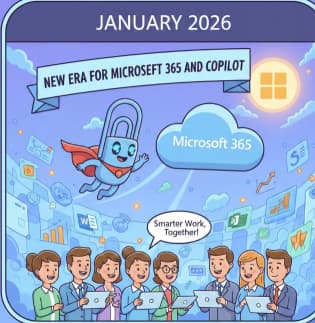
Microsoft 365, Copilot, and Copilot Studio: January News Roundup

January was a strong start to the year for Microsoft 365 and Copilot. Throughout the month, Microsoft released several meaningful updates that highlight how quickly its AI vision is evolving — from enterprise-grade agent governance… 

AWS Certified AI Practitioner: What It Covers and How to Achieve It

Artificial Intelligence is no longer a “nice to have” skill—it’s quickly becoming a core requirement across industries. Whether you work in IT, cloud computing, data, business analysis, or product management, understanding AI concepts is now… 

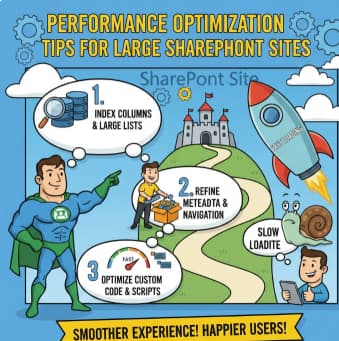
Performance Optimization Tips for Large SharePoint Sites

As SharePoint environments grow, performance issues are almost inevitable. What starts as a fast, responsive collaboration platform can slowly turn into a sluggish system with long page load times, delayed search results, and frustrated users.… 

Managing External Sharing in Microsoft 365 Without Chaos

External collaboration is no longer optional. Vendors, partners, clients, and contractors all need access to files, Teams, and sometimes even entire SharePoint sites. Microsoft 365 makes this easy—but too easy if it’s not governed properly.… 

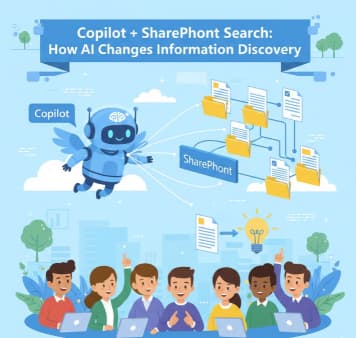
Copilot + SharePoint Search: How AI Changes Information Discovery

In most organizations, SharePoint has become the backbone of collaboration housing documents, pages, lists, policies, and knowledge accumulated over years. Yet despite all this information, one problem persists: finding the right content at the right… 

How to Design a Future-Proof SharePoint Information Architecture

Designing a SharePoint Information Architecture (IA) is not just about creating sites and libraries. It’s about building a structure that can grow with your organization, adapt to change, and remain usable years down the line.… 

SharePoint vs Teams vs OneDrive: When to Use Each (and When Not To)

If your organization uses Microsoft 365? then you have gone through the pain point of which tool to use“Should this live in SharePoint, Teams, or OneDrive?” At first glance, all three tools seem to do… 

How Microsoft 365 and Copilot Empower People and Businesses During the Holiday Season

The holiday season is supposed to be a time of joy, rest, and connection but for many people and businesses, it often becomes the busiest and most stressful period of the year. Between travel plans,… 

The “Agentic” Intranet: Securing and Scaling M365 Copilot with SharePoint & Teams

Microsoft 365 Copilot has crossed an important threshold. It is no longer just a clever chat interface that summarizes documents or drafts emails. In 2025, Copilot is becoming agentic—capable of acting, orchestrating tasks, and reasoning… 

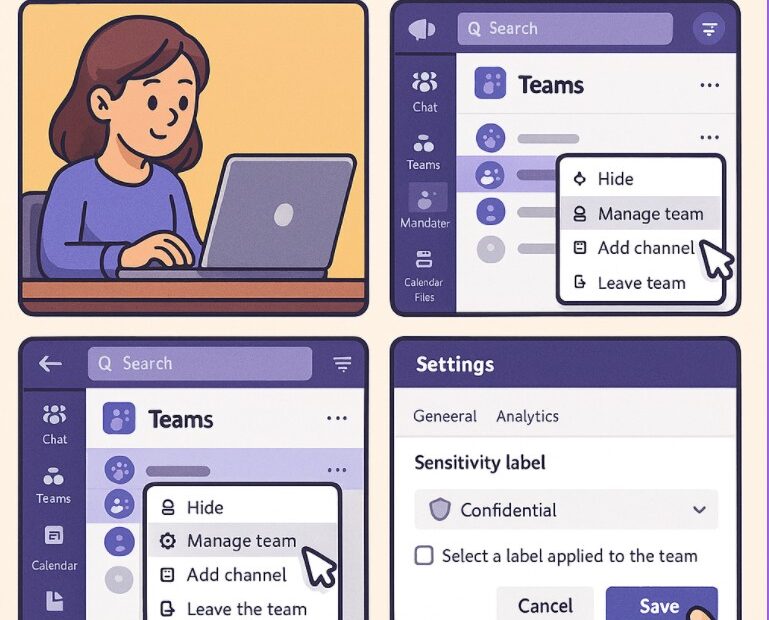
How To Use Sensitivity Labels in Microsoft Teams (Step-by-Step Guide)

Collaboration happens fast — and often across teams, departments, and even organizations. While this speed increases productivity, it also increases the risk of sharing sensitive information unintentionally. This is where Sensitivity Labels in Microsoft Teams…