

Cloud services like Microsoft Azure give you the scalability and flexibility to run nearly any workload, but they also come with a downside: costs can spiral quickly if you’re not careful. The good news? With the right strategies, you can reduce your Azure bill by up to 50% without sacrificing performance.
Let’s walk through some practical steps you can apply today.
1. Right-Size Your Virtual Machines (VMs)
One of the biggest sources of wasted spend comes from over-provisioned VMs. Many teams choose larger instances “just in case,” but those resources often sit idle.
- Use Azure Advisor to get recommendations on underutilized resources.
- Check CPU and memory metrics in Azure Monitor to see if you’re consistently below 40% usage.
- Downsize to a smaller VM SKU or consider burstable VMs (B-series) for workloads with variable usage.
💡 Tip: A switch from a D-series to a B-series VM can save 30–60% while still covering your workload.
2. Leverage Reserved Instances (RIs) and Savings Plans
If you know your workloads will run for a year or more, reserved pricing is your best friend.
- Reserved Instances: Save up to 72% over pay-as-you-go rates by committing to 1- or 3-year terms.
- Savings Plans: Provide flexibility across different VM sizes and regions with savings of up to 65%.
💡 Tip: Use Azure Cost Management’s “Reservation Recommendations” to see where RIs make sense.
3. Turn Off Idle Resources
Not everything needs to run 24/7. Dev/test environments and non-critical systems are often the worst offenders.
- Schedule automatic shutdowns using Azure Automation or Logic Apps.
- Use auto-scaling rules to spin down VMs when traffic is low.
- Stop unused disk storage or orphaned IPs, which silently add up.
💡 Tip: A dev/test environment running 8 hours a day instead of 24 can cut costs by 66% instantly.
4. Optimize Storage Costs
Storage accounts often fly under the radar, but they can be optimized too:
- Move infrequently accessed data to Cool or Archive tiers.
- Enable lifecycle management policies to automatically transition files to cheaper tiers.
- Use Azure Blob Storage with compression where applicable.
💡 Tip: Archive storage is up to 80% cheaper than hot storage.
5. Use Azure Hybrid Benefit
If you already own Windows Server or SQL Server licenses with Software Assurance, you can apply those to Azure and save up to 40% on VM costs.
💡 Tip: This is one of the easiest wins if you’re migrating workloads from on-premises.
6. Monitor and Automate Cost Controls
Finally, ongoing visibility is critical.
- Set budgets and alerts in Azure Cost Management.
- Use Azure Advisor for cost-saving recommendations.
- Automate tagging of resources to track spend by project, department, or environment.
💡 Tip: Regularly review costs at least once per month — optimization is an ongoing process.
Cutting your Azure bill in half doesn’t mean cutting corners. By right-sizing, reserving capacity, shutting down idle resources, and leveraging automation, you can achieve significant savings without sacrificing performance.
The key is visibility + action: know what you’re running, then take small but consistent steps to optimize. Over time, the savings compound — and your finance team will thank you.
Extra posts:
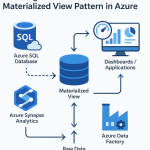 Boosting Performance with the Materialized View Pattern in Azure
 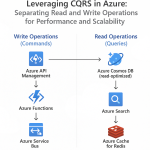 Leveraging CQRS in Azure Separating Read and Write Operations for Performance and Scalability
  Azure Functions vs. Azure Container Apps Choosing Your Serverless Compute
  Azure Free Tier & Cost Management Learn Azure Without Spending a Dime
  Azure AI Studio / Azure AI Foundry A Powerful Platform for Generative AI
  What Is Microsoft Azure? A Beginner’s Guide to the Azure Ecosystem