Skip to content

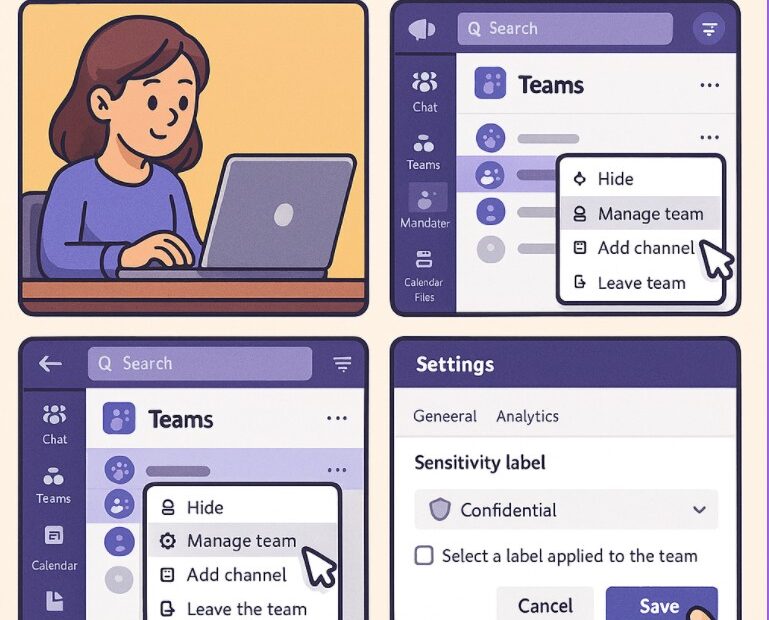
How To Use Sensitivity Labels in Microsoft Teams (Step-by-Step Guide)

Collaboration happens fast — and often across teams, departments, and even organizations. While this speed increases productivity, it also increases the risk of sharing sensitive information unintentionally. This is where Sensitivity Labels in Microsoft Teams… 

How to Manage Teams Permissions and Privacy Settings

In today’s remote and hybrid work environment, collaboration tools like Microsoft Teams have become the backbone of daily communication. From quick chats to full-scale project collaboration, Teams makes it easy for people to work together.… 

Integrating Copilot in Microsoft Teams Channels and Projects: A Step-by-Step Guide

Modern workplaces thrive on collaboration, speed, and clarity. Microsoft Teams has already become the backbone of teamwork for many organizations, but the introduction of Microsoft Copilot takes collaboration to an entirely new level. By embedding… 

No-Code AI: How Non-Developers Can Build Smart Chatbots with Copilot Studio

Artificial Intelligence is no longer reserved only for developers and data scientists. Over the last few years the no-code AI platforms have completely changed how businesses, creators, and everyday professionals interact with advanced technology. One… 

How to Run Windows 11 Smoothly on a 5- or 7-Year-Old Laptop/PC

Step-by-Step Optimizations for Low-Spec or Aging Hardware If you are using an older laptop or desktop from around 2017 to 2019 you may have asked whether Windows 11 can run smoothly on your device. Good… 

Understanding Teams Policies: Messaging, Meetings & Calling | Complete Guide

Since the models of work now is either hybrid(mic between on site office and any location) or remote continue to evolve so tools like Microsoft Teams have become the basic of collaboration in organizations across… 

Microsoft Teams Admin Center: A Beginner’s Guide

Managing collaboration tools for a growing organization is overwhelming and since Microsoft Teams has become the go to platform for chat, meetings, calling, and teamwork across companies of all sizes. Behind all the productivity features… 

How to Set Up Remote Desktop on Windows 11? A Beginner’s Guide

In remote work mode having the ability to access your PC from anywhere is very useful and important to have. Whether you need to reach important files, manage apps or troubleshoot a device Remote Desktop… 

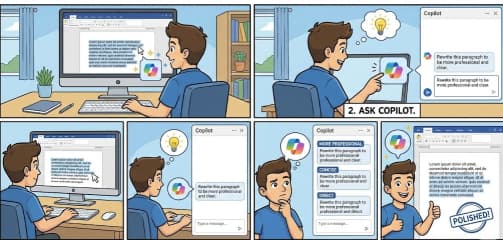
How to Ask Copilot to Improve Tone and Clarity in Microsoft Word

While working in a word document and trying to make your writing sound more polished, professional, or simply easier to understand. Most of us want our writing to be clear and confident now as Microsoft… 

Fixing Wi-Fi Connection Problems Easily on Windows 11

Did it happen to you that while watching a movie or trying to join a meeting, or playing game online then you find Wi-Fi is not working. Although Windows 11 brings a modern look and… 

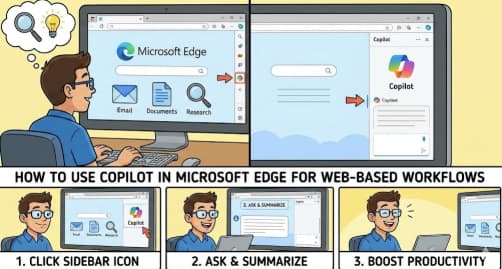
How to Use Copilot in Microsoft Edge for Web Based Workflows

The modern web workflow now is about working faster, tasks automation and gaining insights . Microsoft Edge is enhancing beyond a traditional web browser with the help of Copilot an integrated AI assistant built directly… 

Connecting SharePoint Data to Copilot Insights A Complete Guide to Smarter Collaboration

AI is changing the workplace very fast than any other time. Using Microsoft 365 Copilot can help organizations get the true potential of their internal knowledge. SharePoint as the backbone of content and collaboration becomes…