Skip to content

Introducing Knowledge Agent in SharePoint (Public Preview)

In September 2025, Microsoft launched the Knowledge Agent feature in public preview for SharePoint, as part of the broader Copilot & AI investments. This marks a significant step toward making SharePoint not just a content… 

Building Prompts for M365 Copilot That Give Consistently Good Results

Microsoft 365 Copilot is powerful—it can summarize meetings, draft reports, generate presentations, and even help analyze data in Excel. But like any AI assistant, the quality of its output depends heavily on the quality of… 

AI Mistakes in Microsoft Copilot and How to Fix Them

Artificial Intelligence (AI) is transforming the way we work, and Microsoft Copilot is at the forefront of this change—integrating AI into tools like Word, Excel, PowerPoint, and Outlook. While Copilot has the potential to save… 

Copilot in Excel Turning Data Nightmares into Insights in Seconds

We’ve all been there: staring at a massive spreadsheet filled with endless rows and columns, wondering how on earth to make sense of it all. Whether it’s messy sales data, survey results, or financial reports,… 

Supercharge Your IT Certification Prep How Copilot Can Be Your Study Buddy

Preparing for IT certifications like Microsoft Azure, Microsoft 365, or Power Platform exams can feel overwhelming. The amount of material, the constant updates, and the pressure to both understand theory and practice hands-on skills can… 

Writing Effective Prompts for Microsoft 365 Copilot

Microsoft 365 Copilot is transforming the way we work by bringing the power of AI directly into the apps we use every day — Word, Excel, PowerPoint, Outlook, and Teams. But like any AI-powered tool,… 

How Enterprises Are Leveraging Microsoft Copilot to Drive Innovation

In today’s rapidly evolving digital landscape, enterprises are under immense pressure to innovate, enhance productivity, and deliver customer-centric solutions faster than ever. Microsoft Copilot, an AI-powered assistant integrated across Microsoft 365, GitHub, Dynamics 365, and… 

Preparing Your Team for Microsoft 365 Copilot A Change Management Guide

Microsoft 365 Copilot is more than a flashy new feature—it’s a powerful AI assistant woven into the apps your team already uses: Word, Excel, Outlook, Teams, and beyond. With the right preparation, it can transform… 

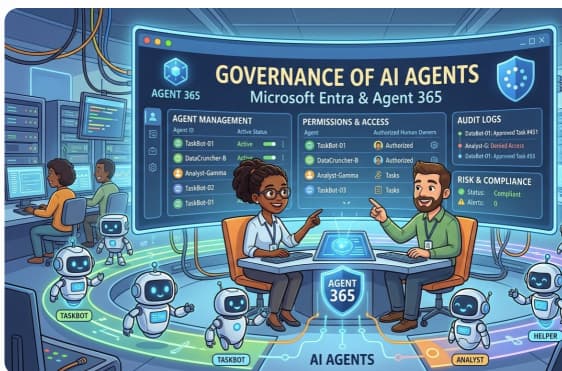
From Chaos to Clarity Governance Tips for Organizations Rolling Out Microsoft 365 Copilot

The arrival of Microsoft 365 Copilot has many organizations excited about AI-powered productivity. But without the right governance, that excitement can quickly turn into confusion—or worse, security and compliance risks. Rolling out Copilot isn’t just… 

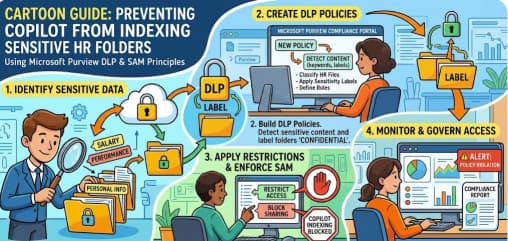
Managing Access and Permissions for Copilot in Microsoft 365

As Microsoft 365 Copilot becomes a central part of workplace productivity, organizations face a critical challenge: enabling powerful AI capabilities while keeping sensitive data secure. Managing access and permissions effectively ensures that Copilot delivers value… 

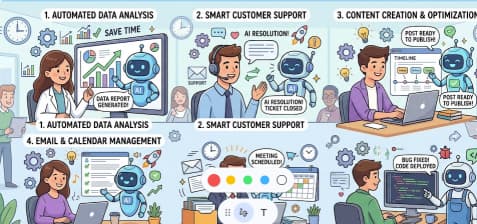
Work Smarter, Not Harder Automating Repetitive Tasks with Microsoft 365 Copilot

In the modern workplace, time is your most valuable resource. Yet for many professionals, hours are still lost to repetitive, low-value tasks — formatting documents, drafting routine emails, or organizing meeting notes. Microsoft 365 Copilot… 

How to Use Copilot for Data Analysis in Excel

1. Set Up Your Environment 2. Start Using Copilot 3. Ask Copilot to Analyze 4. Advanced Analysis with Python 5. Practical Use Cases 6. Strengths & Limitations 7. Tips for Best Results Summary Table Step…