Skip to content

How to Change Taskbar Position and Icons in Windows 11 (Step-by-Step Guide)

Windows 11 introduced a sleek, modern interface with centered taskbar icons — a big change from the traditional layout. While the new design is clean and user-friendly, many users prefer customizing the taskbar to fit… 

Unlocking Productivity A Deep Dive into Notepad and Copilot in Windows 11

In the ever-evolving world of desktop computing, even small apps like text editors are getting major upgrades. With its recent refreshes, Notepad in Windows 11 is no longer just a blank-page, “write-and-save” tool. Meanwhile, Copilot… 

How to Enable and Customize Dark Mode

Your complete guide to making the switch — and doing it right Why Dark Mode Matters Dark mode (also called “night mode” or “dark theme”) uses light text on dark backgrounds. It’s become increasingly popular… 

Complete Guide to Windows 11 Themes and Wallpapers

Windows 11 brings a sleek, modern aesthetic that makes personalization more enjoyable than ever. From vibrant themes to dynamic wallpapers, Microsoft has made it easy to make your PC reflect your personality and workflow. Whether… 

How to Create and Manage Local vs Microsoft Accounts in Windows 11

When you set up Windows 11, one of the first decisions you’ll face is whether to use a local account or a Microsoft account to sign in. Each option has benefits and drawbacks depending on… 

Setting Up Windows 11 for the First Time 15 Things You Should Do

Getting a new PC or upgrading to Windows 11 is exciting — Microsoft’s latest operating system offers a sleek design, improved performance, and lots of customization options. But before you dive in, there are a… 

Windows 11 Out-of-Box Experience (OOBE) Guide

When you power on a new Windows 11 PC for the first time—or after a clean installation—you’ll go through what Microsoft calls the Out-of-Box Experience (OOBE). This process helps you set up your device, personalize… 

Setting Up Windows Hello Face and Fingerprint Sign-In A Step-by-Step Guide

In today’s world of increasing cybersecurity threats, relying solely on passwords is no longer enough. Microsoft’s Windows Hello offers a faster, safer, and more personal way to sign in to your Windows device — using… 

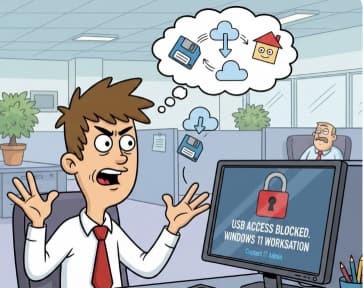
How to Transfer Files and Apps from Old PC to Windows 11

Upgrading to a new Windows 11 PC is exciting — faster performance, smoother design, and enhanced security features. But before you can fully enjoy your new setup, you’ll likely want to bring over your files,… 

Unlocking the Future of Productivity Unique Copilot+ PC Features in Windows 11

The next evolution of Windows 11 is here with Copilot+ PCs, bringing a new level of intelligence to your everyday computing. Powered by advanced AI capabilities and a Neural Processing Unit (NPU) capable of 40+… 

Windows 11 System Requirements Explained Simply

When Microsoft announced Windows 11, one of the biggest talking points wasn’t its sleek design or new features—it was the system requirements. Many users were left wondering: Will my PC run it? Let’s break down… 

How to Clean Install Windows 11 — Step-by-Step (The Friendly, No-Nonsense Guide)

Want to wipe your PC and start fresh with Windows 11? Good call. Below is a complete, practical, up-to-date walkthrough that covers preparation, creating boot media, BIOS/UEFI settings, the actual clean install, and post-install tips.…